









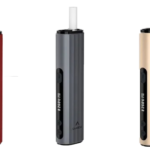

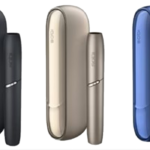

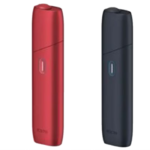


Quick Answer: If your IQOS ILUMA holder is not working, try these fixes first: Reset the device by pressing and holding the button for 10 seconds. Make sure the holder is fully charged inside the pocket charger. Check that you’re using genuine TEREA sticks inserted correctly. Clean the holder opening with the cleaning tool. If the holder still doesn’t respond, the battery may need replacement or the device requires warranty service.
Why Your IQOS ILUMA Holder Stops Working
Several reasons cause IQOS ILUMA holder problems. The most common issues include dead battery, incorrect TEREA insertion, software glitches, or physical damage. Understanding the cause helps you fix the problem faster.
If you’re new to IQOS devices, read our IQOS ILUMA guide for beginners to learn proper usage techniques.
Step-by-Step Troubleshooting
1. Check the Battery
Place the holder inside the pocket charger. Wait for 2 minutes minimum. The LED light should pulse while charging. If no light appears, your pocket charger may have issues. Read our guide on fixing IQOS ILUMA charging problems for charger-specific solutions.
2. Reset Your Holder
Press and hold the holder button for 10 seconds. The device will vibrate and lights will flash. This clears minor software issues. Release the button and wait 30 seconds before trying again.
3. Check Your TEREA Sticks
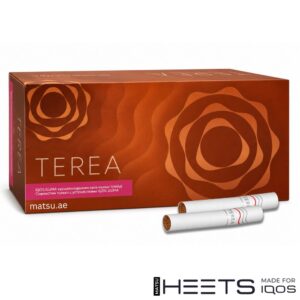
IQOS ILUMA works only with TEREA sticks. Regular HEETS cause the device to malfunction. If you’re unsure about the difference, check our TEREA vs HEETS comparison.
Insert the TEREA stick gently until it stops. Forcing it too deep damages the holder. Make sure the stick sits straight, not at an angle.
4. Clean the Holder
Use the cleaning tool to remove debris from the holder opening. Dust and tobacco residue block proper contact with TEREA sticks. Clean once weekly for best performance.
5. Check for Physical Damage
Inspect the holder for cracks, dents, or water damage. Dropping the device or exposure to moisture causes internal damage. Damaged holders need professional repair or replacement.
When to Contact Support
If none of these fixes work, contact IQOS customer support or visit an authorized store. Your device may have a hardware fault covered under warranty.
Buy Genuine IQOS ILUMA from Matsu
Matsu sells authentic IQOS ILUMA devices and TEREA sticks across UAE. We deliver to Dubai, Abu Dhabi, and all emirates. Shop our IQOS ILUMA devices and TEREA sticks with fast delivery and warranty support.
Keep your IQOS ILUMA holder working smoothly with proper care. Most problems resolve with a simple reset or battery charge.